Screen tour
Source-code links on this page require an invitation to the private GameQ repository.
These are test-harness captures using GameQ 0.1.7’s real renderer, not photos of a Coldcard Q. Each starts with the actual 320 × 240 panel output and doubles every pixel to make a crisp 640 × 480 image. There is no smoothing, recoloring, device frame, or illustrated menu.
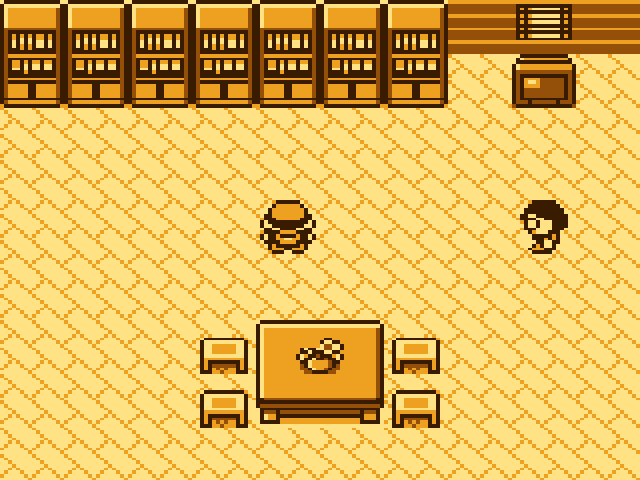
The resident room fills the panel. Walk to a shelf to pick a game, or visit the clerk for GameQ’s desk. This picture shows the room itself; the Python dialogs that open after an interaction are not pictured.
Title screen
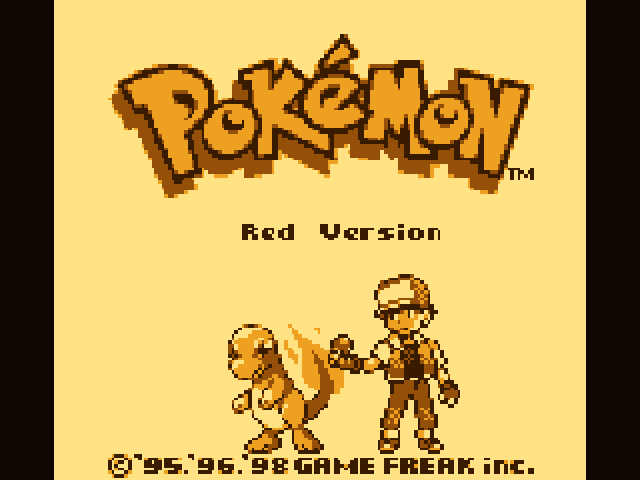
Section titled “Title screen”Pokémon Red runs in the amber palette. Games keep their proportions in a 266 × 240 area with a narrow border on each side.
Playing in Pallet Town
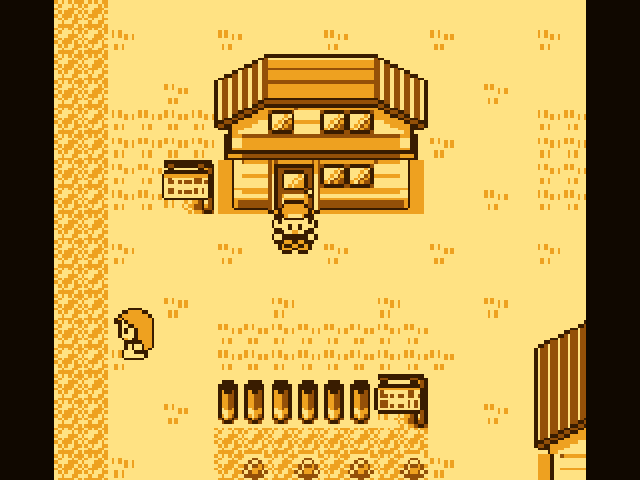
Section titled “Playing in Pallet Town”This run starts a new game, completes the naming sequence, walks downstairs, and leaves the house using ordinary button inputs.
Saving
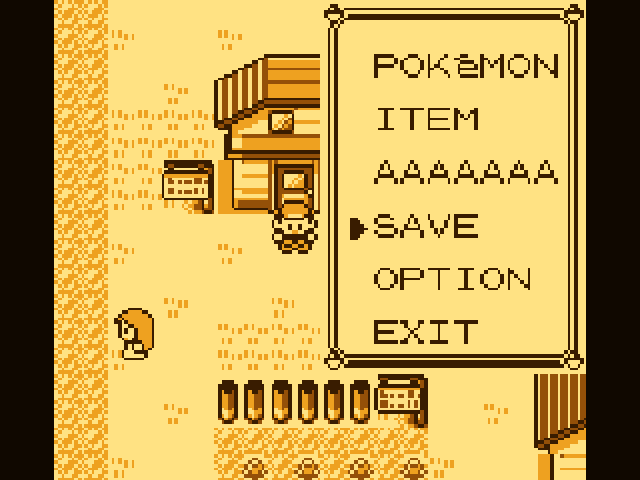
Section titled “Saving”Pokémon’s own START menu contains SAVE. The automated demonstration enters
AAAAAAA as the player name. This is an actual game screen with SAVE selected,
not a GameQ dialog and not evidence that the save operation has completed.
See Playing for controls and saving, or Getting started to install GameQ.
Reproduce the captures
Section titled “Reproduce the captures”From a checkout with its pinned dependencies initialized:
# Only needed if the pinned ROM artifacts have not been built yet:make pokered hub
# Python 3 plus a host C compiler (cc, clang or gcc):python3 scripts/capture-screenshots.py
The capture command checks the canonical Red ROM hash and verifies the hub’s
source/build manifest. It compiles the current production gameq_core.c with
a small host adapter that models the LCD’s address window and write cursor.
It records the RGB565 bytes emitted by the renderer and checks every final
panel pixel against the native diagnostic image, including the side borders.
The hub adapter answers the real startup mailbox with the default-spawn reply. Game input comes entirely from timed joypad events; no game RAM or save state is patched. Each run starts with zero-filled cartridge RAM and renders every frame. Host ROM verification remains enabled; the hardware PSRAM pause is a no-op on host memory. These captures do not measure physical display timing or Q FPS.
The PNG encoder uses only Python’s standard library. It expands RGB565 channel levels to RGB888 without losing any original color value, then duplicates pixels at 2× size. To export the native size into a separate directory:
python3 scripts/capture-screenshots.py --scale 1 \ --output build/screenshots-native --work build/screenshots-native/workOnly PNGs and their provenance are kept in docs/images. Raw RGB565 captures,
the host binary, and generated input files stay under ignored build/ paths.
The tool does not require any review snapshots, external save files, an SD card,
or a firmware build.
Provenance
Section titled “Provenance”The images above were captured from the accepted 0.1.7 renderer at repository
commit 021424affc760b92aee0c316ec341078c2720a30; its runtime source is unchanged
from tested firmware commit 6b91dcae09bf2dd3bc291d4301edc79edd8b7f0d.
| Image | Frames completed | Last frame, zero-based | Scene |
|---|---|---|---|
gameq-room.png |
400 | 399 | Room, default spawn (5, 4); startup acknowledged after frame 95 |
pokemon-red-title.png |
1,500 | 1,499 | Title, no buttons pressed |
pokemon-red-gameplay.png |
8,550 | 8,549 | Pallet Town, map 0, position (5, 6) |
pokemon-red-save-menu.png |
8,900 | 8,899 | Same position; START, then three Down presses |
captures.json records every input transition and its zero-based frame, the exact source/header/tool hashes, each native RGB565 hash, each PNG hash, render counters and final emulator state. The input generator is also readable in capture-screenshots.py.
Pinned inputs:
| Input | Revision or SHA-256 |
|---|---|
| Peanut-GB revision | 8e656982f08663785794b84823d3e27f856fdb7f |
| pret/pokered revision | a1a22aaf84d1675bcdbaeb194592379d586d838e |
| Pokémon Red ROM | 5ca7ba01642a3b27b0cc0b5349b52792795b62d3ed977e98a09390659af96b7b |
| GameQ room ROM | eae7f6fe8d69fd2fe2a1467a10689a8409bc5c594e16086099485c73bcaf49f5 |
| Production renderer C | 7addba2b50bb110204f3f40e493d7748416df620155f7013b4865303b14d8b66 |
The room ROM hash matches the losslessly embedded hub in the 0.1.7 firmware’s build record. RGBDS 1.0.3 built both ROMs. No ROM or save binary is committed with these screenshots.
Verification: all four final PNGs were visually inspected. A separate native-size run produced identical RGB565 hashes and emulator states. PNG checksums, exact 2× pixel duplication, and conversion back to the original RGB565 bytes were also checked. The captured pixels are reproducible; a real Q photograph will additionally show the physical LCD, case, lighting and viewing angle.